GitHub
Connect repositories and manage the coSPEC GitHub App
We recommend enabling branch protection rules on your main branch in your GitHub repository settings. This ensures agent-created pull requests go through code review before merging.
Connecting Your Account
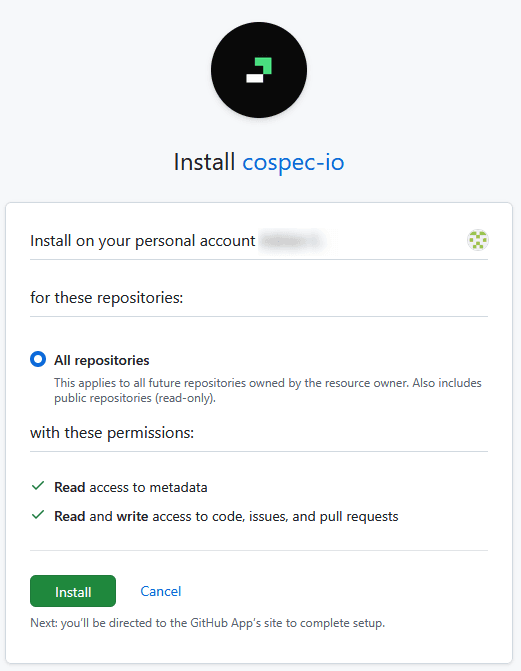
In the dashboard, go to Integrations → GitHub and click Connect Account.
You'll be redirected to GitHub's authorization page. Grant access to the repositories you want coSPEC to work with.
Repository Cloning
When a run starts, the repository is cloned into the sandbox. The default branch is used unless a specific branch is specified in the run configuration.
Pull Requests and Issues
During a run, the agent can create branches, open pull requests, and file issues on your repository. These outputs are detected automatically based on what the agent does — see Runs — Outputs.
Managing Installations
View your connected repositories in Integrations → GitHub.
You can also manage the app directly on GitHub's installed apps page:
- Suspend — temporarily disable access without removing the installation
- Remove — uninstall the app entirely from your GitHub organization
Other Git Providers
Looking for GitLab? See the GitLab Integration guide.